
The digital world in 2026 is more connected than ever. The internet serves as a primary gateway for information and social interaction for millions.
This constant flow of valuable information also attracts sophisticated threats. Staying aware and vigilant is no longer optional for protecting digital identities.
This guide explores the evolving nature of digital risks. It provides actionable strategies for robust online safety while browsing the modern web.
Understanding foundational cybersecurity principles is the first step. Individuals can then enjoy the digital age’s benefits with greater safety. A key part of this is managing digital risk through strong governance.
Understanding the Evolving Landscape of Cyber Threats
Modern cyber threats extend far beyond stolen passwords to include profound psychological harm. The digital environment now hosts significant social risks that target a user’s well-being.
| Study Focus | Group Surveyed | Key Finding | Major Consequence |
|---|---|---|---|
| Cyberbullying Prevalence | 11,925 U.S. students (2012) | 23% were victims | N/A |
| Mental Health Impact | Bullied students | 30% reported suicidal behavior | Severe psychological distress |
| Online Abuse Rates | Young Australians | 44% experienced exclusion or threats | Social and emotional harm |
Impact on Personal Data and Privacy
Harassment often begins when malicious people access private details. Protecting personal information is a first line of defense against these social attacks.
Shared photos, locations, and contact details can be weaponized. This makes data privacy a core component of personal digital safety.
The Rise of Cyberbullying and Online Harassment
This form of abuse is a dominant risk on the modern internet. The table data shows it affects a large portion of students.
The consequences are severe, linking directly to mental health crises. Recognizing and reporting this behavior is crucial for community safety.
Fundamentals of Online Safety
At its heart, digital well-being is built upon a set of key practices and ethical choices. These fundamentals help users navigate spaces with confidence and resilience.
Key Elements and Best Practices
Strong safety starts with everyday habits. Being cautious about the websites you visit is a primary rule.
Think carefully about the information you share in public forums. Oversharing can create risks.
If you see dangerous content, act. You can report it using the official CyberTipline form from the National Center for Missing and Exploited Children.
| Core Practice | User Action | Direct Benefit |
|---|---|---|
| Website Vigilance | Check for secure connections (HTTPS) before entering data. | Reduces exposure to malicious sites. |
| Information Control | Limit sharing personal details like location or school. | Protects privacy and prevents targeting. |
| Proactive Reporting | Submit a report via the CyberTipline for concerning material. | Helps authorities track and address threats. |
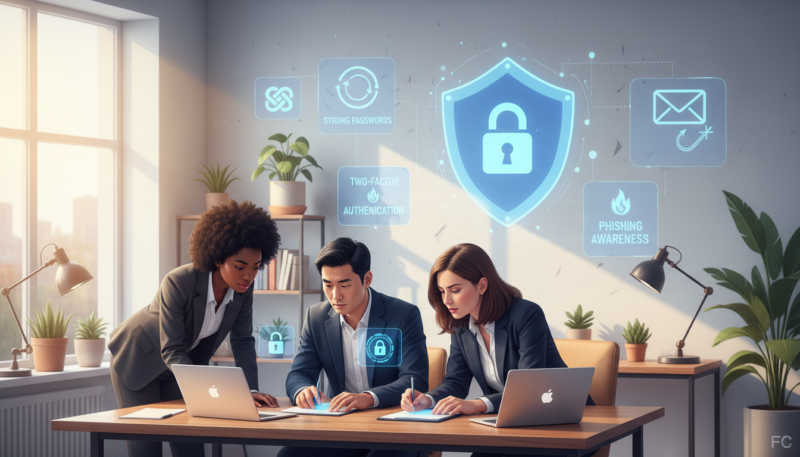
Ethical Use and Responsible Digital Behavior
How you act online impacts others. Responsible behavior means knowing when to leave a bad situation.
If a conversation feels uncomfortable or threatening, exit it immediately. Report the user if needed.
True digital citizenship requires us to consider the impact of our actions on the community’s overall safety.
Ignoring cyberbullying is often the most powerful response. It takes away the attention bullies seek.
Critical thinking about your own posts and messages is essential. Platforms like TikTok have implemented features to promote safer environments, especially for younger users.
Advanced Strategies to Counter Cyber Risks
Effective defense in the current landscape means specifically targeting malware campaigns and phishing operations. Users need to understand the tools and tactics that provide a stronger shield.
Defending Against Malware, Phishing, and Spyware
Malware is a broad category of harmful software. It includes viruses, ransomware, and spyware designed to damage devices or steal data secretly.
Hackers often use phishing scams as their first move. They create fake emails or websites that look real to trick people.
Never click links or download attachments from unknown sources. This simple rule blocks many common threats.
Updated antivirus software is essential for advanced protection. It can detect and remove spyware that reports your activity to third parties.
| Common Threat | Primary Method | Key Defense Strategy |
|---|---|---|
| Malware & Spyware | Hidden in downloads or infected websites. | Use reputable antivirus software and avoid untrusted sources. |
| Phishing Attacks | Deceptive emails or sites mimicking trusted entities. | Verify sender addresses and never enter credentials on suspicious links. |
| Ransomware | Encrypts files until a ransom is paid. | Maintain regular, offline backups of critical data. |
Securing Social Media and Communication Channels
Social platforms and messaging apps are major targets for hackers. Securing these communication channels is a critical layer of defense.
Be very cautious of unsolicited messages or friend requests. Hackers use these to gain access to personal accounts and data.
Review privacy settings on each platform regularly. Limit what strangers can see about your profile and posts.
Enable two-factor authentication wherever it is offered. This adds a vital second step to the login process for account security.
Protecting Your Personal Information in the Digital Age
In the era of data breaches, protecting individual information has become a top priority. Every user must actively manage their digital footprint to prevent identity theft and fraud.

Guarding sensitive data requires consistent habits. Key elements include controlling what you share and how you secure access.
Best Practices for Passwords and Privacy Settings
Strong digital security starts with robust authentication. Users should create unique, complex passwords for every account.
Never reuse passwords across different sites. This prevents a single breach from compromising multiple accounts.
Adjust privacy settings on social media and apps. Limit profile visibility to trusted contacts only.
- Keep full names, addresses, and Social Security numbers private. Avoid sharing them in public forums or with unverified sources.
- Do not enter credit card details on websites lacking secure payment systems. Look for HTTPS and trust seals.
- Disable automatic GPS tracking on mobile devices. This stops apps from broadcasting your real-time location.
Regularly review and update these settings. This proactive approach enhances overall personal security and safety.
Educating Students and Families on Digital Safety
Companies like Learning.com, founded in 1999, have long recognized that digital literacy is as essential as reading and math. Their work provides a model for preparing young people for the connected world.
Teaching Digital Citizenship in Schools
Educators play a vital role in guiding students. They help young people develop positive online behavior and understand the consequences of their digital actions.
The Learning.com curriculum, reviewed and updated in October 2024, helps students master critical skills. It teaches them to navigate the internet responsibly and handle personal information securely.
The goal is not just to avoid risks, but to foster respectful and mindful digital citizens.
Guidance for Parents on Safer Online Behaviors
Lessons from school must be reinforced at home. Parents should maintain open communication with their family members.
This ensures children feel comfortable discussing their online experiences. It turns the home into a supportive space for practicing good digital habits.
This collaborative approach between schools and families is echoed in global efforts, such as national digital protection plans. By integrating these principles, we empower the next generation for greater safety and responsibility.
The Role of Technology in Enhancing Cybersecurity
From encryption to automated filters, technological innovations provide essential shields in cyberspace. These tools act as a first line of defense, automatically identifying and neutralizing many common risks before they reach the user.

Utilizing Encryption and Antivirus Tools
Encryption scrambles data, making it unreadable to anyone without the correct key. This adds a vital layer of security for sensitive information during communication.
Virus protection software is a must for every computer. It should be updated regularly to defend against evolving internet threats. This software scans for and removes malicious code.
Implementing Parental Controls and Monitoring Software
For families, technology offers tailored solutions. Parents can implement monitoring software and age-appropriate parental controls.
Service providers can help block or screen inappropriate emails when these controls are active. This creates a safer digital environment for children’s online activities.
Key technological actions include:
- Using robust antivirus software to guard against viruses and spyware.
- Enabling encryption tools for protecting private information.
- Setting up parental controls to filter harmful content.
- Keeping all security software updated to patch the latest vulnerabilities.
These automated systems are crucial for modern digital defense. Large organizations, like the Department of Defense, rely on similar advanced technology to secure complex networks.
Best Practices for Online Safety in Everyday Life
Integrating security habits into daily routines is the cornerstone of personal digital defense. These practices help individuals navigate common scenarios with greater confidence and control.

Practical Tips for Securing Devices and Accounts
Start by physically securing your devices. Never leave phones or laptops unattended in public spaces.
When creating accounts, use email addresses and screen names that combine letters and numbers. Avoid choices that reveal personal details.
Be cautious with online relationships. Meeting internet friends in person carries unique risks, as identities can be fabricated.
Think before you share. Consider the consequences of posting pictures or messages on social media.
For financial transactions, only enter credit card details on secure websites. Look for HTTPS and trust indicators.
Avoid downloading files from unfamiliar websites. Such activities often lead to malware infections.
- Use privacy settings to create private groups for friends. This controls who can interact.
- Verify the identity of people you meet online before sharing sensitive information.
- Keep personal details like your home address and phone numbers private.
- Adopt different nicknames across various apps to maintain anonymity.
Conclusion
Navigating the digital landscape of 2026 demands a commitment to continuous learning and vigilance. This proactive stance, combining personal habit with community effort, is essential for robust security.
The information shared in digital spaces carries lasting weight. Prioritizing privacy through strong settings and understanding platforms, including those for secure digital transactions, is a critical layer of defense.
Educators and parents guide students in building these responsible habits. Together, they foster an environment where young people can explore the internet with greater confidence and safety. Staying informed and using the right tools empowers everyone to navigate the connected world with resilience.
FAQ
What are the biggest cybersecurity risks people face today?
The digital world presents constant threats to personal information. Key risks include sophisticated phishing scams that trick users into revealing passwords, malware that can steal credit card details, and the persistent problem of cyberbullying on social media platforms. Staying informed about these dangers is the first step toward protection.
How can someone protect their personal data on social media sites?
Protecting data starts with strong privacy settings. Users should regularly review who can see their posts and personal information. It is wise to avoid sharing sensitive details like home addresses or phone numbers. Being selective about connection requests and thinking before posting are crucial habits for maintaining security and privacy.
What makes a password strong and secure?
A robust password is long, unique, and complex. It should combine upper and lowercase letters, numbers, and symbols. People must avoid using easily guessed information, like birthdays. Using a reputable password manager helps users create and store different passwords for every account, which greatly enhances security.
What role do parents play in their child’s digital life?
A> Parents have a vital role in guiding safer online behaviors. This includes having open conversations about content and relationships on the internet. They can use built-in parental controls on devices and software to manage access. Teaching children about the real-world consequences of their digital actions builds responsible digital citizenship.
How can individuals defend against phishing and malware?
Defense involves vigilance and good tools. Users should never click suspicious links in email messages or texts. Keeping all software, including antivirus programs like Norton, updated is essential. Installing reliable security software on all devices provides a critical layer of defense against these common threats.
Why is teaching digital citizenship important in schools?
Schools help students navigate the digital world responsibly. Lessons on digital citizenship cover ethical behavior, recognizing cyberbullying, and understanding privacy. This education equips young people with the knowledge to build positive online relationships and make smart choices, creating a safer environment for everyone.